How do I make Shopify HIPAA Compliant?
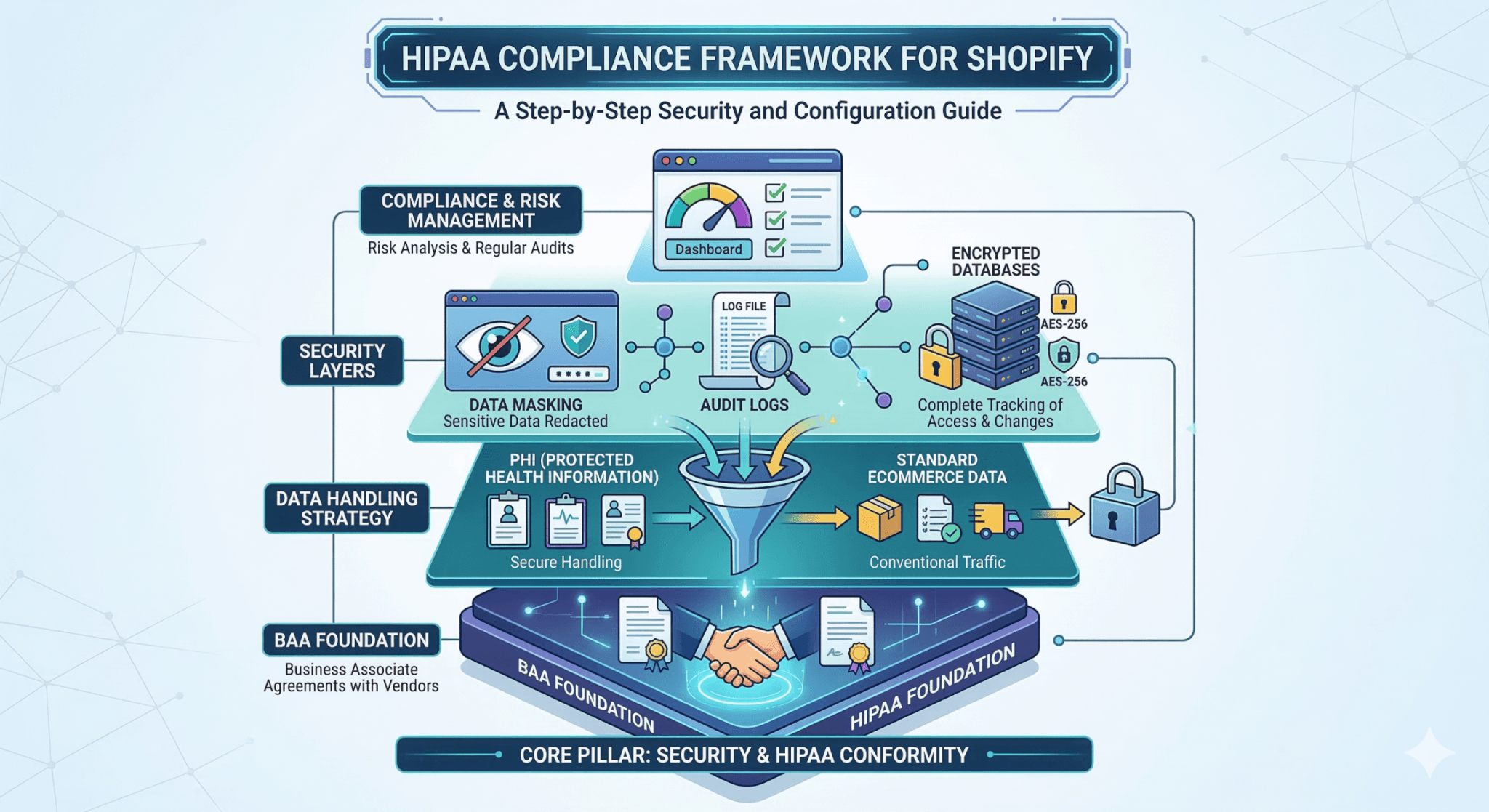
Shopify & HIPAA Compliance
Building a healthcare-adjacent business on Shopify requires a sophisticated architectural approach because Shopify is not inherently HIPAA compliant. Shopify will not sign a Business Associate Agreement (BAA), meaning it cannot legally store or process Protected Health Information (PHI).
However, Shopify can function as the "glass" or the storefront in a wider HIPAA-compliant ecosystem. The key is a decoupled architecture where sensitive health data is never entered into or stored on Shopify’s servers.
The Shopify HIPAA Paradox
While Shopify is Level 1 PCI DSS compliant (for credit card data), HIPAA regulations are more stringent regarding the storage and transmission of health data.
- The Conflict: If a customer enters their medical history, symptoms, or lab requirements into a standard Shopify "Note" field or contact form, you are in violation of HIPAA.
- The Solution: Use Shopify for the transactional layer (buying the kit) and a separate, secure environment for the clinical layer (the patient data).
Strategy: Decoupling PHI from the Storefront
Decoupling involves separating PII (Personally Identifiable Information, like an email used for an order) from PHI (Protected Health Information, like a lab result or a diagnosis).
1. The "Kit Purchase" Workflow (Shopify)
In a lab-testing model, the Shopify store sells a physical product (the test kit).
- Data Stored in Shopify: Name, Shipping Address, and Order Number.
- Compliance Status: This is a standard e-commerce transaction. Since no health data is attached to this order, it does not trigger HIPAA requirements within Shopify.
- The Link: The customer receives a physical kit with a unique Activation Code or Barcode. This code is the only "bridge" between the commerce side and the clinical side.
2. The "Patient Portal" Workflow (External)
Once the customer has the kit, they are directed away from Shopify to a custom or third-party portal that is hosted on HIPAA-compliant infrastructure (e.g., AWS, Azure, or Google Cloud with a signed BAA).
- Account Creation: The user logs into the portal and enters their kit's Activation Code.
- PHI Collection: All medical intake forms, symptom checkers, and eventually the lab results are housed here.
- De-identification: The portal "phones home" to Shopify via API to confirm Order #12345 is valid, but it never sends the patient’s health data back to Shopify.
Architectural Example: Lab Testing Site
For a lab testing business, the data flow would look like this:
| Component | Platform | Data Handled | HIPAA Status |
| Storefront | Shopify | Kit sales, marketing, generic FAQ | Not HIPAA |
| Checkout | Shopify | Payment & shipping address | PCI Compliant |
| Intake Form | HIPAA-compliant Form (e.g., JotForm Enterprise) | Medical history, DOB, biological sex | BAA Required |
| Results Portal | Custom App (hosted on AWS/Azure) | Lab values, doctor's notes, PDF reports | BAA Required |
How to De-identify the Shopify Data
To ensure Shopify remains "blind" to the medical nature of the purchase, you can use Generic SKU Mapping:
- Instead of naming a product "Chronic Kidney Disease Test Kit," you can name it "Metabolic Health Panel - Type A."
- In your internal HIPAA-compliant database, "Type A" maps to the specific medical test.
- This ensures that even if a Shopify admin looks at an order, they only see a product code, not a specific medical diagnosis or intent.
Technical Implementation Tools
To bridge the gap between Shopify and your HIPAA-compliant portal, consider these "middle-layer" tools that do sign BAAs:
- HIPAAtizer or JotForm Enterprise: These allow you to embed secure forms directly into your Shopify theme via an iFrame. The data submitted via these forms goes directly to their secure servers, bypassing Shopify's database entirely.
- Keragon: A healthcare-specific automation platform (like a HIPAA-compliant Zapier). It can trigger an email to a patient when a Shopify order is placed, inviting them to the secure portal without passing PHI through the automation.
- External EHR Integrations: Use APIs to sync the Shopify Order ID to a compliant Electronic Health Record (EHR) like Healthie or CharmHealth.
In an eyeglass e-commerce model, the frame is a fashion accessory (non-PHI), but the prescription is a medical record (PHI). By using Jotform as a secure "sidecar," you can sell frames on Shopify while keeping the sensitive medical data entirely separate and compliant.
Case Study: The Eyeglass Store Setup
In this model, the Shopify store handles the catalog, inventory, and payment for the physical hardware (the frames). The medical prescription is collected through a HIPAA-compliant Jotform layer.
1. The Storefront Strategy (Shopify)
The product page for a pair of glasses should focus only on the frame and lens type (e.g., Single Vision vs. Progressive).
- The Buy Button: The customer adds the "Frame + Basic Lens" to their cart.
- No Rx Fields: Ensure there are no text input fields on the Shopify product page that ask for "OD/OS" or "Sphere/Cylinder" values.
- The Post-Purchase Trigger: On the "Thank You" page or in the Order Confirmation email, provide a link: "Upload your prescription to complete your order."
2. The Prescription Intake (Jotform)
The link takes the customer to a Jotform Gold or Enterprise form.
- The BAA: Before launching, you sign a Business Associate Agreement (BAA) with Jotform. This makes Jotform legally responsible for the security of the prescription data.
- The Bridge: The first field on the Jotform should be "Shopify Order Number." This is the non-PHI "key" used to reunite the prescription with the frame later in your secure backend.
- Data Collection: The user uploads a photo of their paper prescription or manually enters their values into the Jotform. This data goes directly to Jotform's encrypted servers, completely bypassing Shopify.
How the Data is Decoupled
By separating the two, you satisfy HIPAA because the platform that is not compliant (Shopify) never sees the medical data.
| Data Point | Where it Lives | Is it PHI? |
| Customer Name/Address | Shopify & Jotform | PII (Not PHI in this context) |
| Credit Card Info | Shopify (PCI) | Financial Data |
| Prescription Values | Jotform Only | Yes (PHI) |
| Frame Model/Color | Shopify & Jotform | Non-PHI |
Workflow: Fulfilling the Order
- Shopify Admin: Your team sees an order for "Ray-Ban Wayfarer - Order #9950."
- Jotform Admin: Your licensed optician logs into the secure Jotform dashboard and finds a submission for "Order #9950" containing the +2.25 Sphere prescription.
- The Lab: The optician sends the frame (from Shopify) and the prescription (from Jotform) to the lens lab.
- Result: HIPAA compliance is maintained because the "medical record" (the prescription) was never stored in the Shopify database or sent via Shopify's internal notification system.
Summary Checklist for Compliance
- Never use Shopify’s "Customer Notes" or "Cart Attributes" for health info.
- Disable Shopify's native contact forms if they are likely to be used for medical inquiries.
- Sign a BAA with every vendor that touches health data (Hosting, Form builders, Email/SMS for results).
- Audit Logs: Ensure your external portal tracks every time a record is viewed or edited.
- Separate Sessions: Ensure the login for the patient portal is distinct from the Shopify customer account login.